
Published: 22 Oct 2026 | Author: James Beresford
The Microsoft Fabric & Power BI August 2026 update is a polish release on the reporting side and an ambition release everywhere else. A long list of Power BI previews reach general availability, a couple of modelling changes remove old reasons to fall back to import mode, and data agents get the biggest round of changes of any area. Below are the changes worth acting on, along with the argument that the agent work quietly changes what good delivery looks like.
The Microsoft Fabric & Power BI August 2026 update landed hot on the heels of July's, and FabCon and SQLCon in Barcelona were always going to steal its thunder. Don't let that bury it – there's more here than the polish suggests.
Polish, mostly – and the good kind.
Modern visual defaults are now generally available, along with the theme customisation experience in the Format pane. New reports start on the Fluent 2 base theme, and the Theme pane gives you one place to set colours, fonts, visual properties, page settings and filter pane styling without hand-editing a JSON theme file. Hurrah for GUIs, even as agents make them increasingly irrelevant.
The slicer gets a proper date picker, also GA, covering relative selections, a calendar, a slider and a single date mode. That removes the most common reason people were dropping a third-party visual into an otherwise clean report.
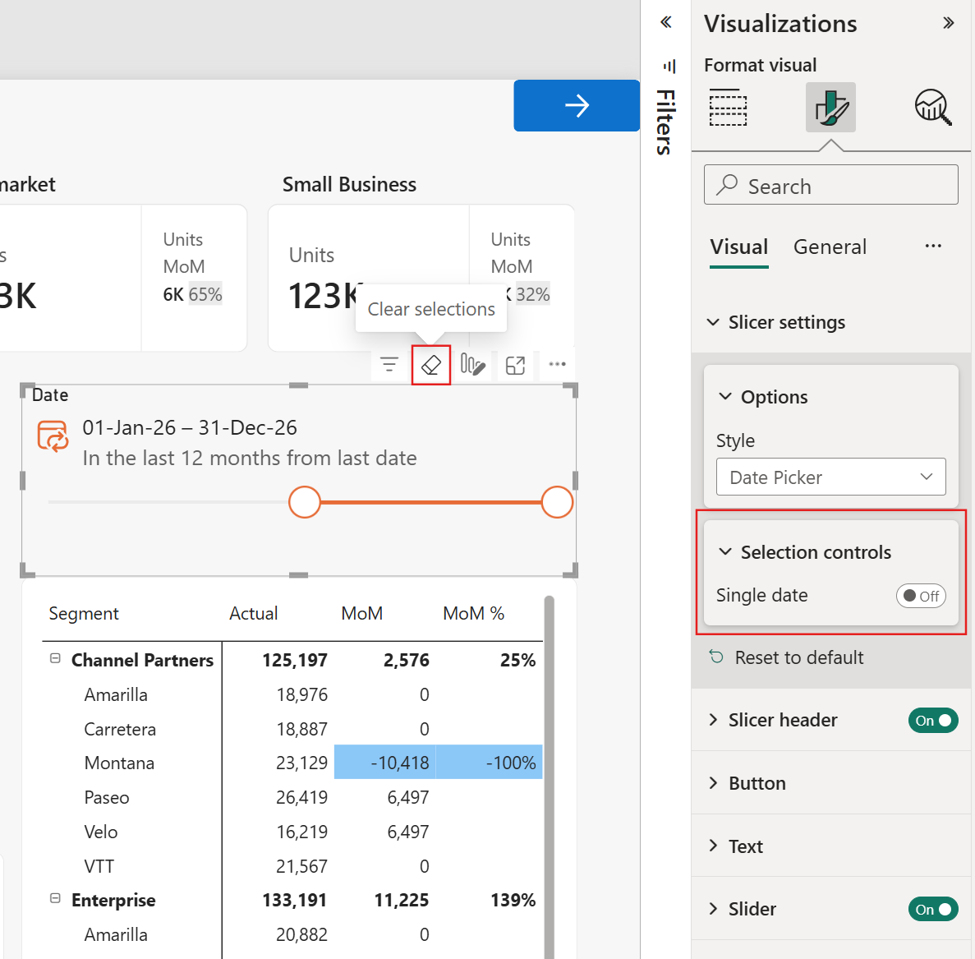
Updated date picker
Matrix column headers now support expand and collapse icons, and authors can set a default freeze state for row headers, so users land on the view you intended. If you've ever built a wide matrix and then fielded questions about which column someone's looking at, you'll know the value. (Not of the wide matrix – that's bad design – but users will get what users ask for…)
The smaller items are still welcome. Donut charts can display a formatted value, label, image and background in the centre, so there's no more layering a card on top and praying to the alignment gods. Azure Maps reference layers now reload and zoom to fit when you filter. And visuals can reference OneLake file URLs for images, so logos and icons live alongside the data rather than on some external site nobody remembers until it gets taken down.
Yes. Comments now work on report pages and visuals inside org apps, with @mentions. Following audiences reaching GA in July, it's the missing piece: people can react to what they're seeing without leaving the app.
Embedding in SharePoint Online is less fiddly too. You can browse and select workspaces directly rather than pasting a URL, and a toggle lets you embed a single visual instead of the whole report. Tidier than shrinking a full report into a web part for one chart.
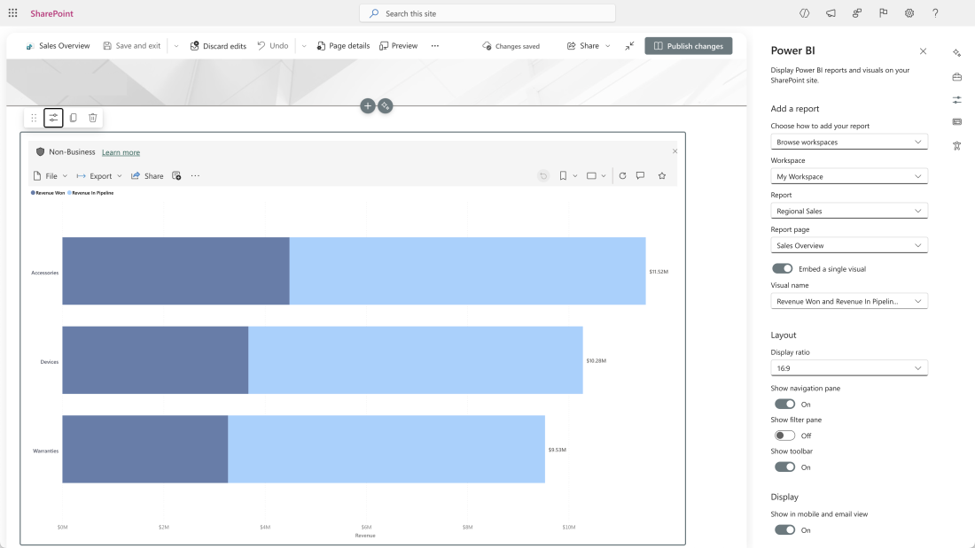
Embedding in SharePoint
Fewer every month.
Direct Lake picks up calculated columns in preview, defined in DAX on Direct Lake on OneLake models without changing storage mode. That was one of the last structural reasons to fall back to import.
Semantic model refresh in the Service becomes properly granular: refresh schema and data, sync schema only, or refresh data only, with table-level control on top. On a large model where the schema sync is the expensive part, skipping it turns a long refresh into a short one – and on a Fabric capacity, a shorter refresh is a cheaper one.
Copilot Summary and Copilot Narrative can also now read visuals that are hidden by default and revealed by display-only bookmarks. If you build bookmark-driven reports, the summaries no longer describe half the page.
Quieter, but worth a look.
In the warehouse, identity columns are GA, including identity insert and COPY INTO bulk loads. If you've been managing surrogate keys by hand because identity couldn't survive a migration, that workaround can retire. OneLake security for SQL analytics endpoints is also GA, now covering nested groups, shortcut-backed tables, column-level security and service principals. Those four cases are usually where security models fall down, so it's worth revisiting anything you built around the gaps.
Fabric Runtime 2.0 is GA on Spark 4.1, Delta Lake 4.2, Python 3.13 and Java 21, and the Native Execution Engine gained broadcast join reuse, CTE materialisation and faster ranking window functions. Both land automatically. Spark properties can now be set on the pipeline activity itself, so tuning one problematic run no longer means changing everything else. Copy job adds Amazon Redshift as a source and better incremental load support. And the Migration Assistant for SQL database in Fabric is GA, which matters if you're bringing an operational database into the platform rather than just reading from one.
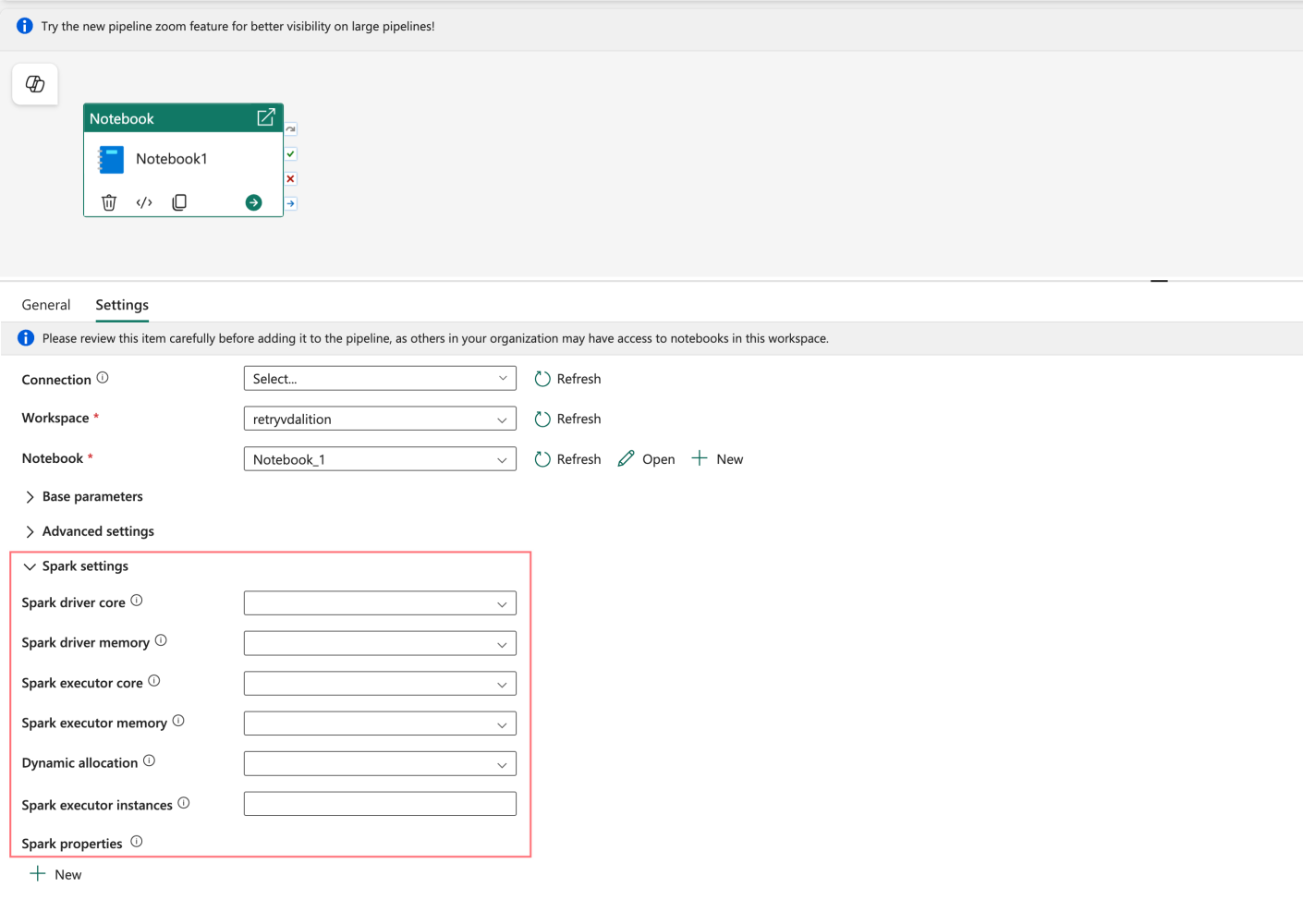
Enhanced Spark properties support in Notebook and Spark Job Definition
Data agents, by a distance.
Agents now render answers using Fabric visuals – line, bar, pie, scatter and area charts – rather than text. DAX generation against semantic models improves in preview, and you can supply your own schema descriptions to steer SQL queries. The orchestrator moves to GPT-5.1, the row limit lifts from 25 to 1,000 in preview, and agents now appear as tools inside Copilot Studio and Microsoft Foundry.
In my opinion that's the real story of the month. Fabric is increasingly being built as an AI platform that happens to have a data platform underneath it, and more of each month's release notes go to the agent layer.
That changes what delivery work looks like. An agent is only as good as the model it's pointed at, in the same way a tour guide is only as good as the map they've been handed. Sensible naming, proper descriptions and correct relationships stop being tidy-up work and become the thing that decides whether the answers are right. Most delivery roadmaps haven't caught up with that yet.
The Microsoft Fabric & Power BI August 2026 update has something for everyone, but it doesn't all deserve equal attention.
If you'd like a second opinion on whether your semantic models are in good enough shape to have an agent pointed at them, we'd be glad to take a look.
Sources: Microsoft's Fabric August 2026 Feature Summary and Power BI August 2026 Feature Summary.

Yes, in preview. Calculated columns can be defined in DAX on Direct Lake on OneLake semantic models without changing the storage mode, removing one of the last structural reasons to fall back to import mode.
Yes. The refresh button now offers refresh schema and data, sync schema only, or refresh data only, with table-level control on top. Skipping an expensive schema sync can shorten refreshes on large models considerably.
Fabric Runtime 2.0 is generally available and built on Spark 4.1, Delta Lake 4.2, Python 3.13 and Java 21. The Native Execution Engine also gained broadcast join reuse, CTE materialisation and faster ranking window functions, applied automatically.
Data agents now answer with Fabric charts rather than text, generate better DAX against semantic models (preview), accept custom schema descriptions for SQL sources, and run on a GPT-5.1 orchestrator. The row limit rises from 25 to 1,000 in preview, and agents can be used as tools in Copilot Studio and Microsoft Foundry.

Get the latest Talos Newsletter delivered directly to your inbox
TECHNOLOGY PARTNERS
Our partners including Microsoft, UiPath, Databricks & Profisee enable us to deliver business outcomes using best of breed technologies and solutions.




Automation & Analytics Technologies for Business

Talos helps organisations build reporting solutions using Jet Analytics

Australian councils face backlogs, staff turnover, and rising community expectations. We help you improve service delivery and operational efficiency through process automation — integrated with TechnologyOne, Civica, and Pathway.
Talos helps organisations build modern data and analytics platforms using Databricks, Microsoft Fabric and Power BI. We work from strategy through implementation, ensuring you get value from the platform without unnecessary complexity.


Modern visual defaults and the Format pane theme customisation experience are now generally available, as is a slicer date picker with relative, calendar, slider and single date modes. Matrix visuals gain column-header expand and collapse and a default row-header freeze state, and comments with @mentions now work in org apps.